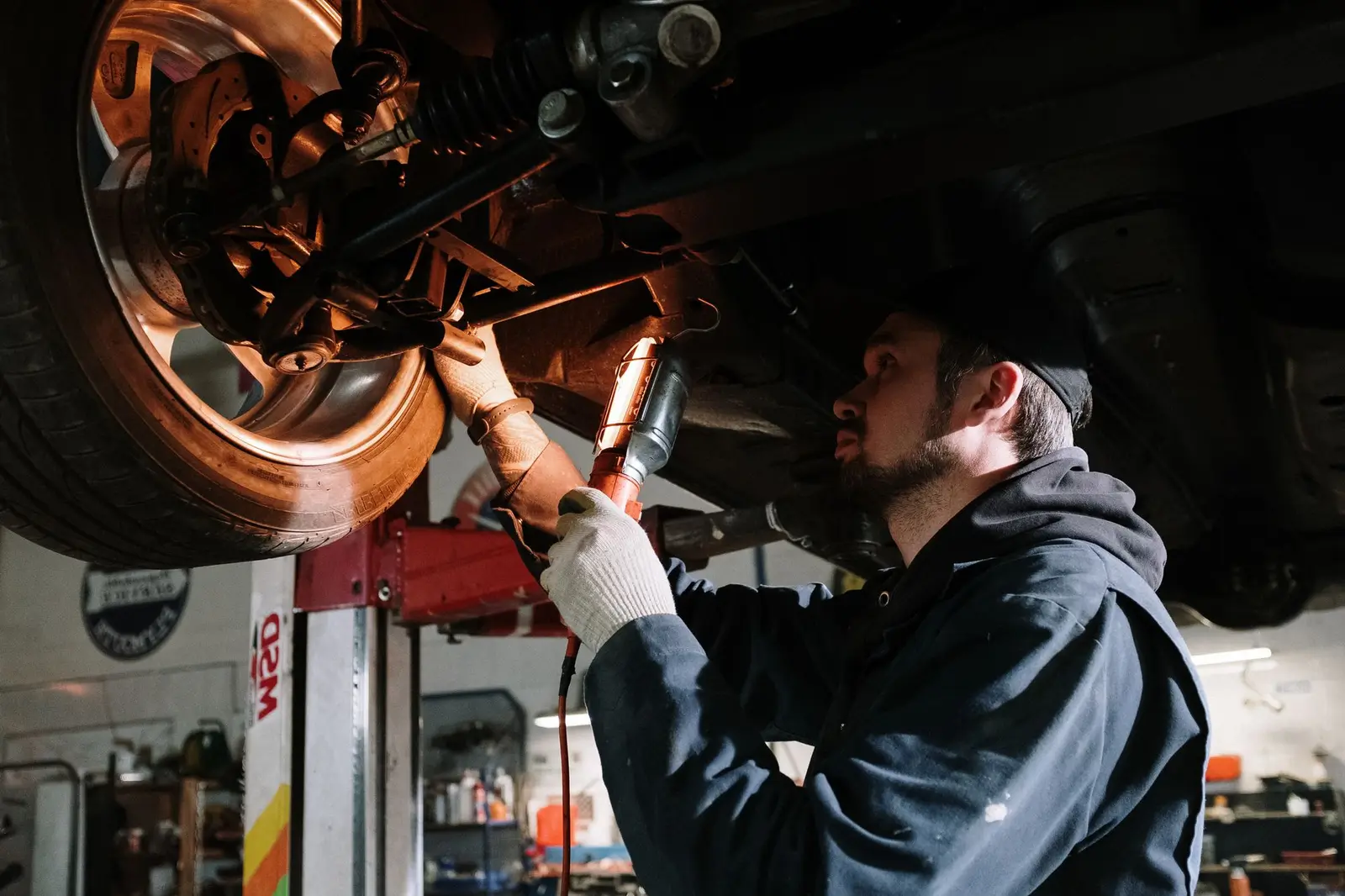
Software for car repair garages and tyre shops Snap the plate, the car is in
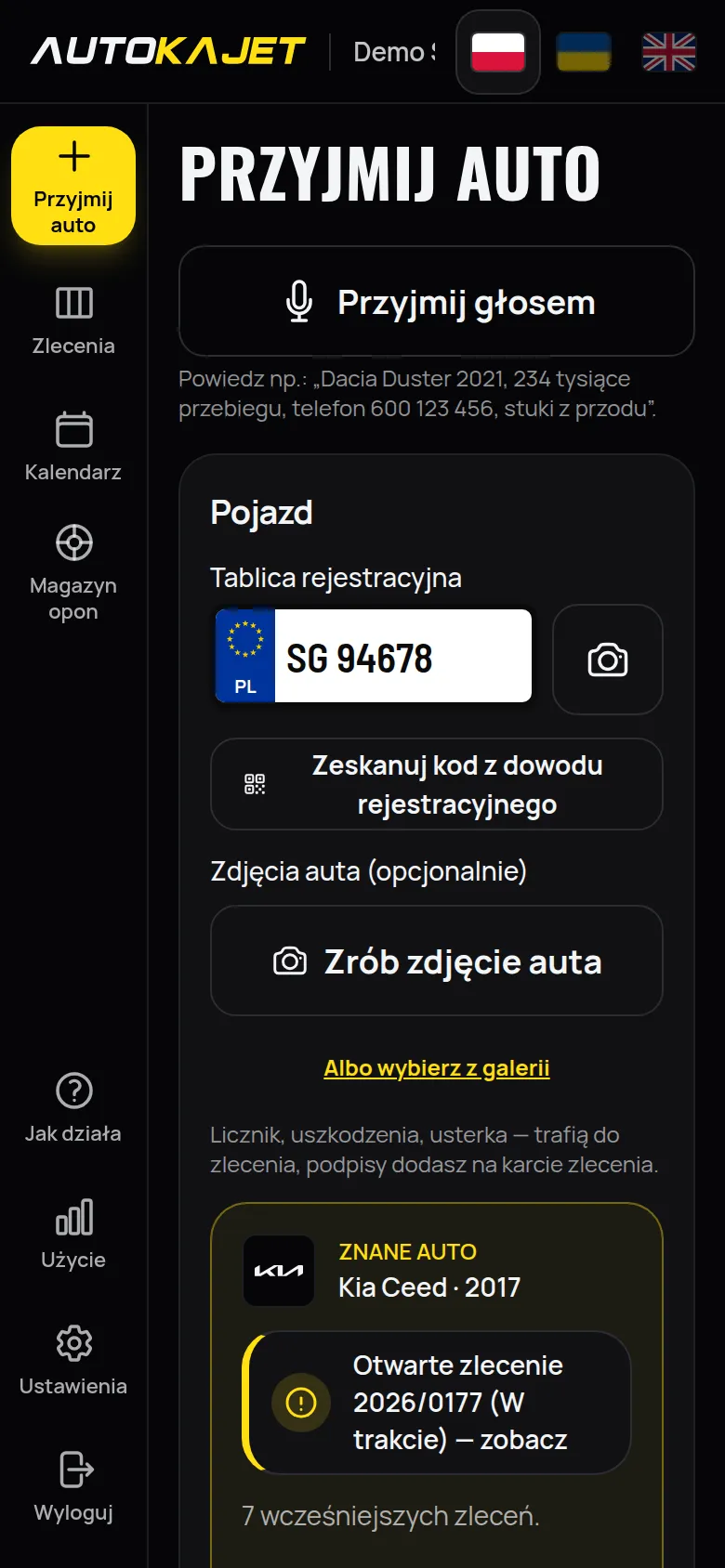
Take a photo of the plate or scan the code on the registration certificate, then say the rest in one sentence — make, mileage, fault and the customer's phone fill themselves in. The job lands on the board, in the calendar and in the car's history, and the customer checks in their link whether the car is ready and approves extra work. All on the phone that is already in your pocket.
Or just say: “Golf 2015, 187 thousand km, oil change”- 30 days free
- No card, no fixed-term contract
- 99 PLN net / month
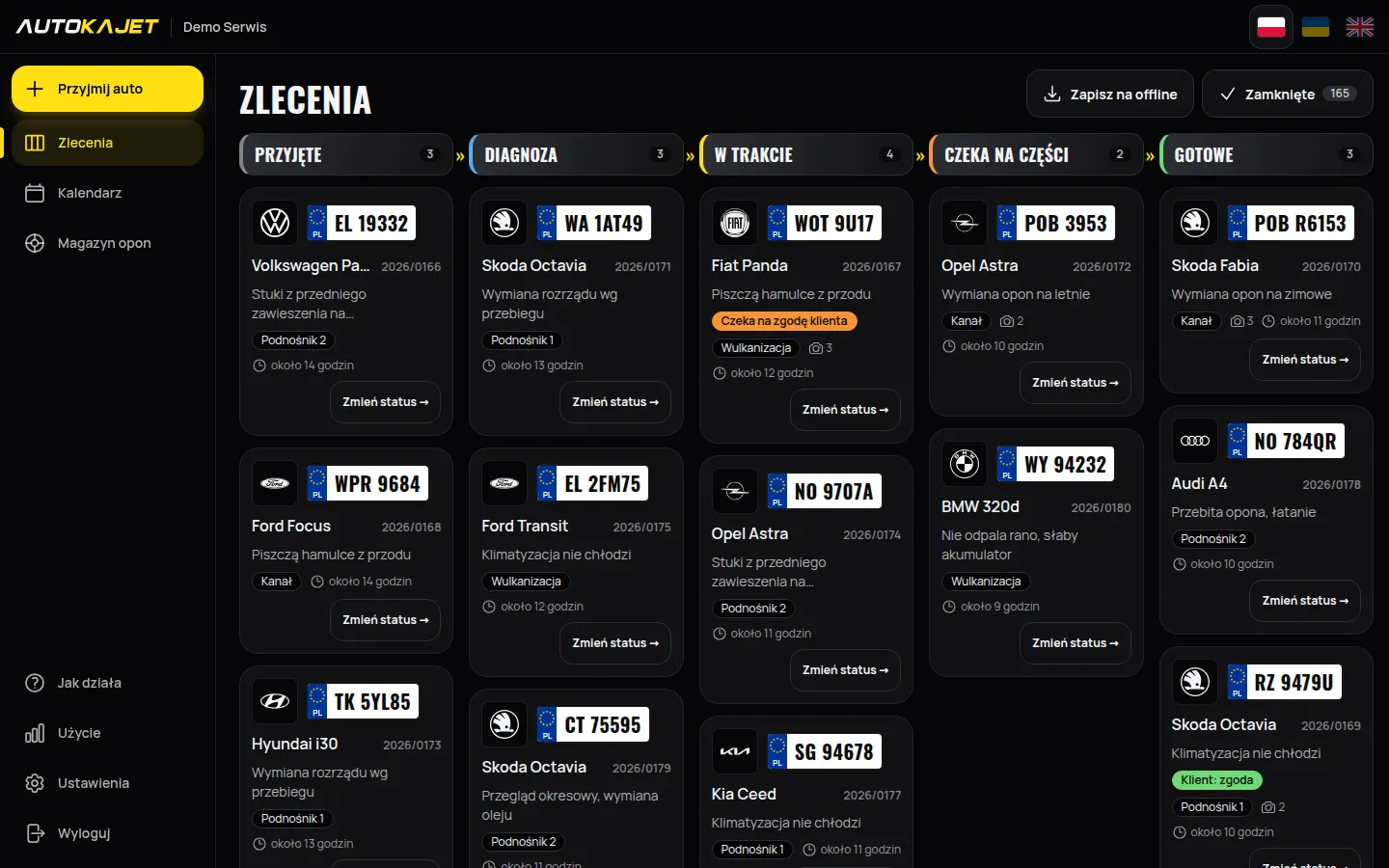
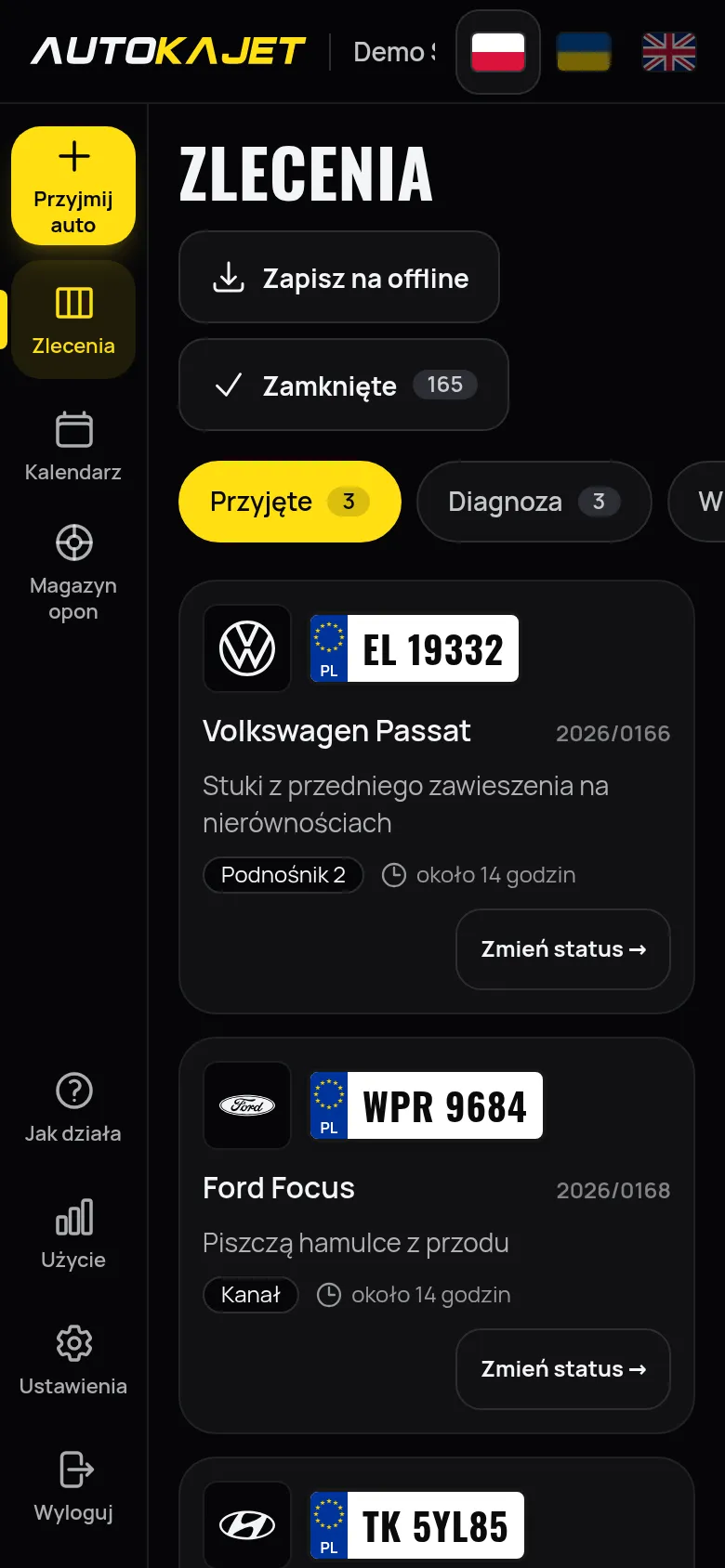
Car repair garages
From 1 to 10 bays. Jobs, the history of every car and the calendar on your phone.
Tyre shops and tyre services
Storage with a rack spot and a QR label on every set. At the height of the season you find a customer's wheels with one scan.
Garage with a tyre shop
Jobs, calendar and tyre storage in one place, one subscription.
See it in action
Short films of the real app: checking in a car, running the repair, planning the week and keeping track of tyres.
-
Getting started
1:34Sign-up, workshop details, opening hours, bays and your web page — then the first car. A few minutes to get going.
-
Checking in a car by phone
0:54Plate, a known car fills itself in, the fault and the bay — and the customer gets a link to follow the repair.
-
Plate photo and check-in by voice
1:15The plate is read from a photo; make, model, year, mileage, phone and the fault you just say.
-
Job board and job card
0:52Drag a car to the next stage, note the work and parts, mark the car as ready.
-
Bay calendar
0:52Week, day and month. Move a visit by dragging it, book a new one straight from the calendar.
-
Tyre storage
0:53Find a set by plate, store a new one in a free slot and see overdue sets at once.
Everything a small garage needs
Built for small garages where the mechanic has dirty hands and a phone in the pocket. Big buttons, little typing, everything in a few taps.
-
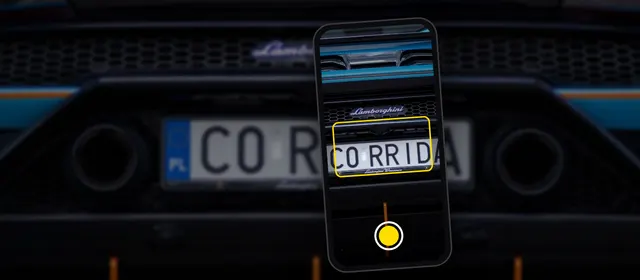
Car intake from a plate photo or certificate scan
Take a photo of the plate or scan the code on the registration certificate — plate, make, model, year and VIN fill themselves in. The VIN can also be read from a photo. A known car shows the customer's phone and recent repairs straight away.
-
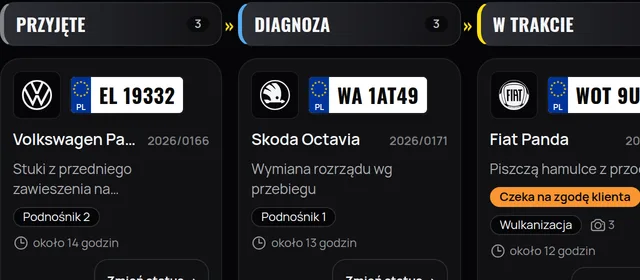
A job board for your thumb
Every car is a card: received, diagnosis, in progress, waiting for parts, ready. On a phone you change the stage with one tap, on a laptop you drag the card.
-
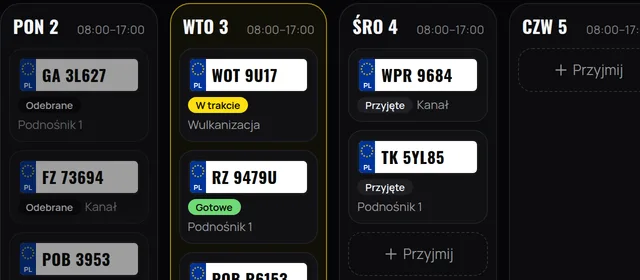
Bay calendar
Day, week and month views split by bay. Opening hours and public holidays marked, cars moved with a drag.
-
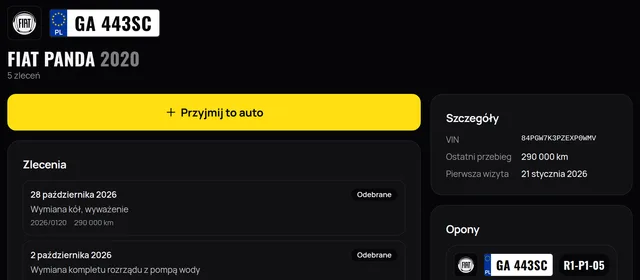
History of every car
Every repair and tyre set under the number plate. A known car fills in make, model and the customer's phone on its own.
-
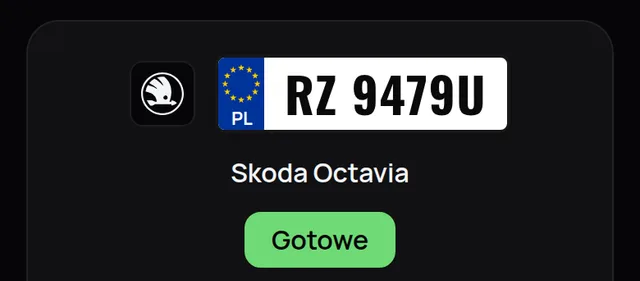
The customer follows the repair and approves work
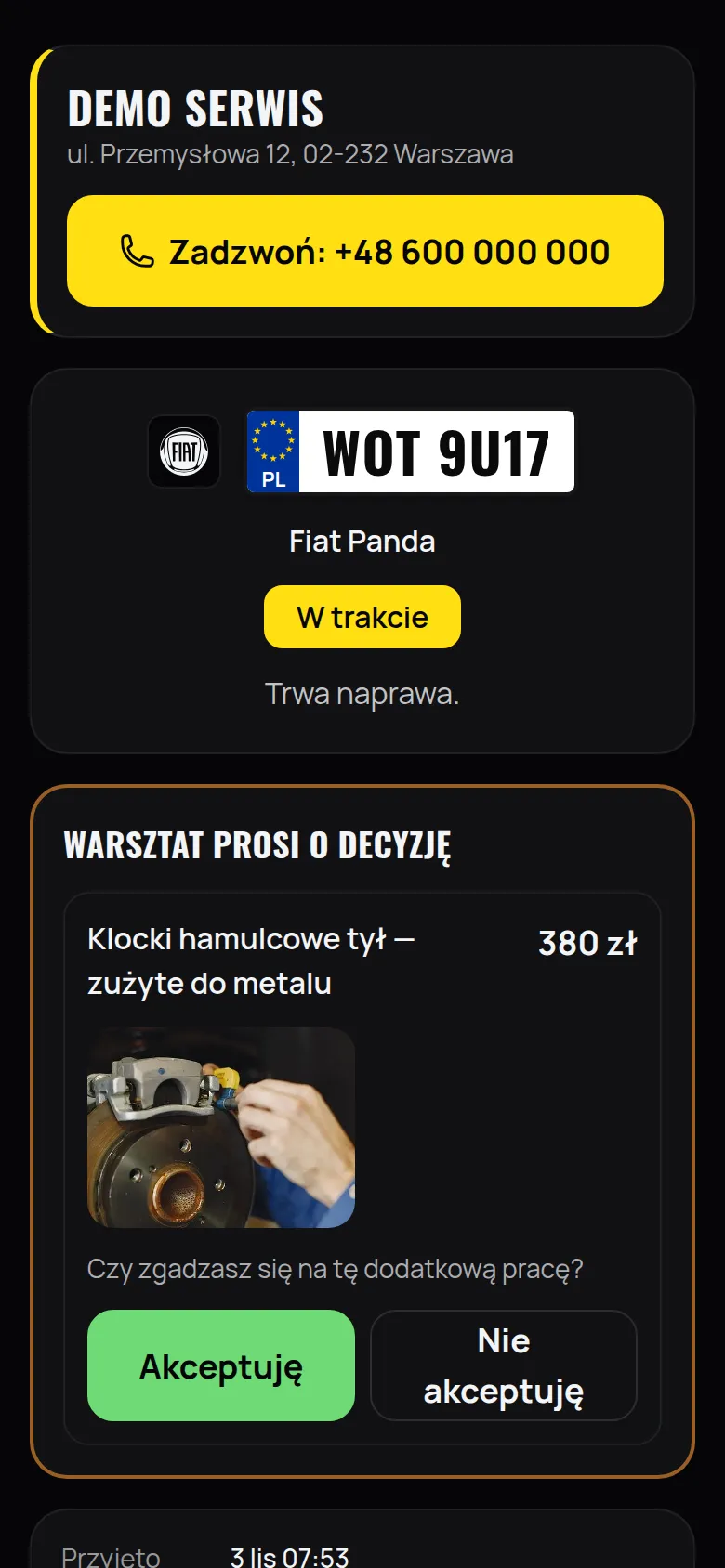
The customer gets a link and sees the repair stage, the date, the work done and photos of the parts. When an extra fault turns up, they see the photo and the price and approve with one tap. No sign-in, no app.
-
Texts included in the subscription
200 texts a month included, no packs to top up at 20 grosz each. A text to the customer at intake and when the car is ready for pick-up, in their language.
-
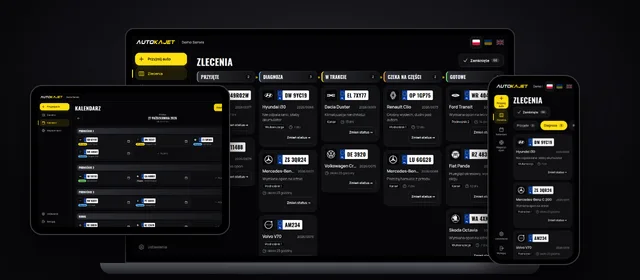
Phone, tablet and computer
A phone on the shop floor, a tablet at the bay, a computer in the office. Nothing to install, it runs in the browser.
-

Mechanic from Ukraine? Works in Ukrainian
Interface in Polish, Ukrainian and English. Everyone on the team picks their language and works on the same job.
-
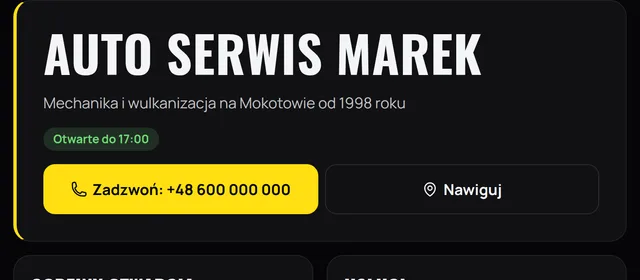
Garage page
A page for your garage with opening hours, services, prices and a "Call" button.
Say it, and the car is checked in
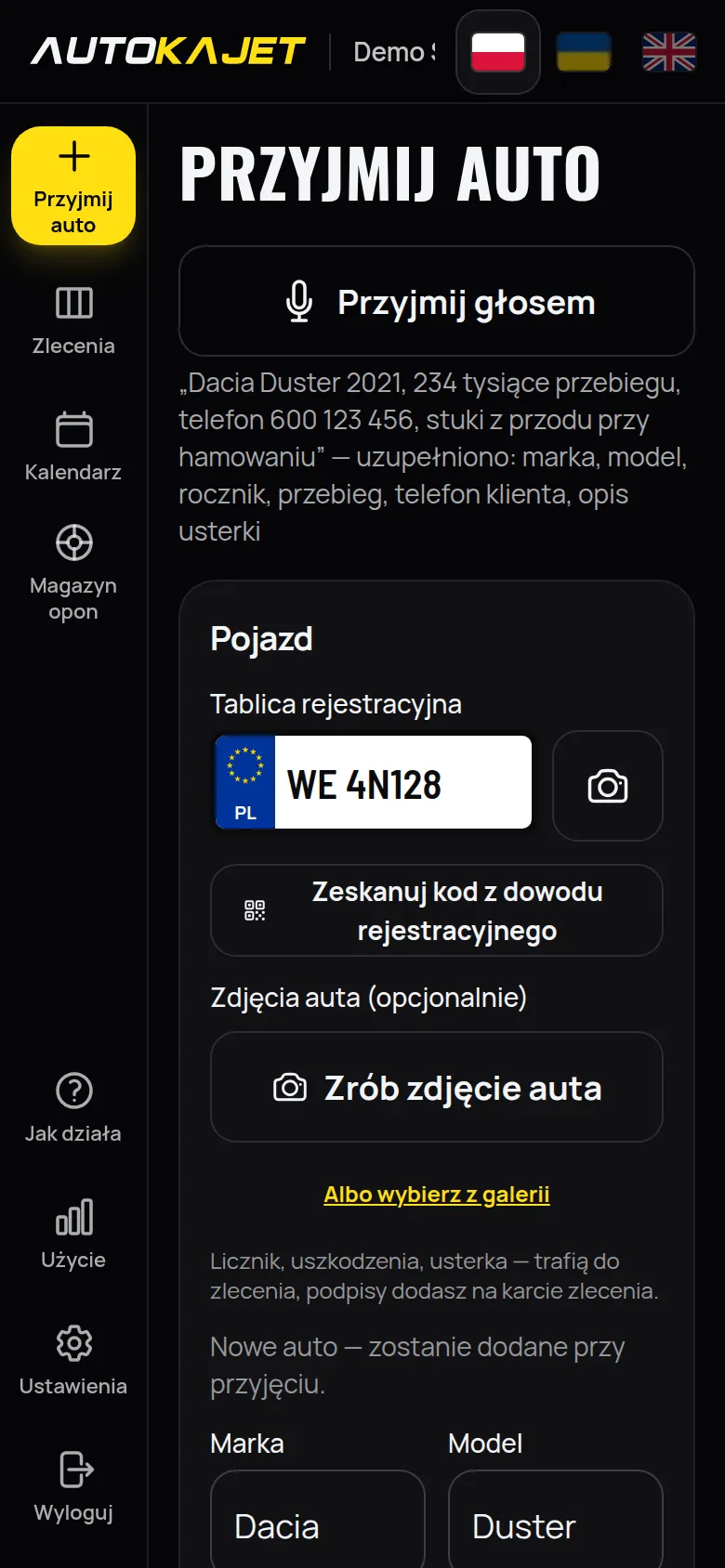
Greasy hands? Tap “Check in by voice” and say it in one sentence. Make, model, year, mileage and the customer’s phone fill in by themselves, and the rest goes into the fault description.
“Dacia Duster 2021, 234 thousand km, phone 600 123 456, knocking at the front when braking”
- Picks out the make and model (“Golf” alone will do), the year, the mileage in thousands and the phone number.
- There is a microphone by the fault description, work done and notes too — talk instead of typing.
- No keyboard, no copying. You see the result at once and fix it with one tap.
- Works in Polish, Ukrainian and English, in Chrome and Safari on the phone.
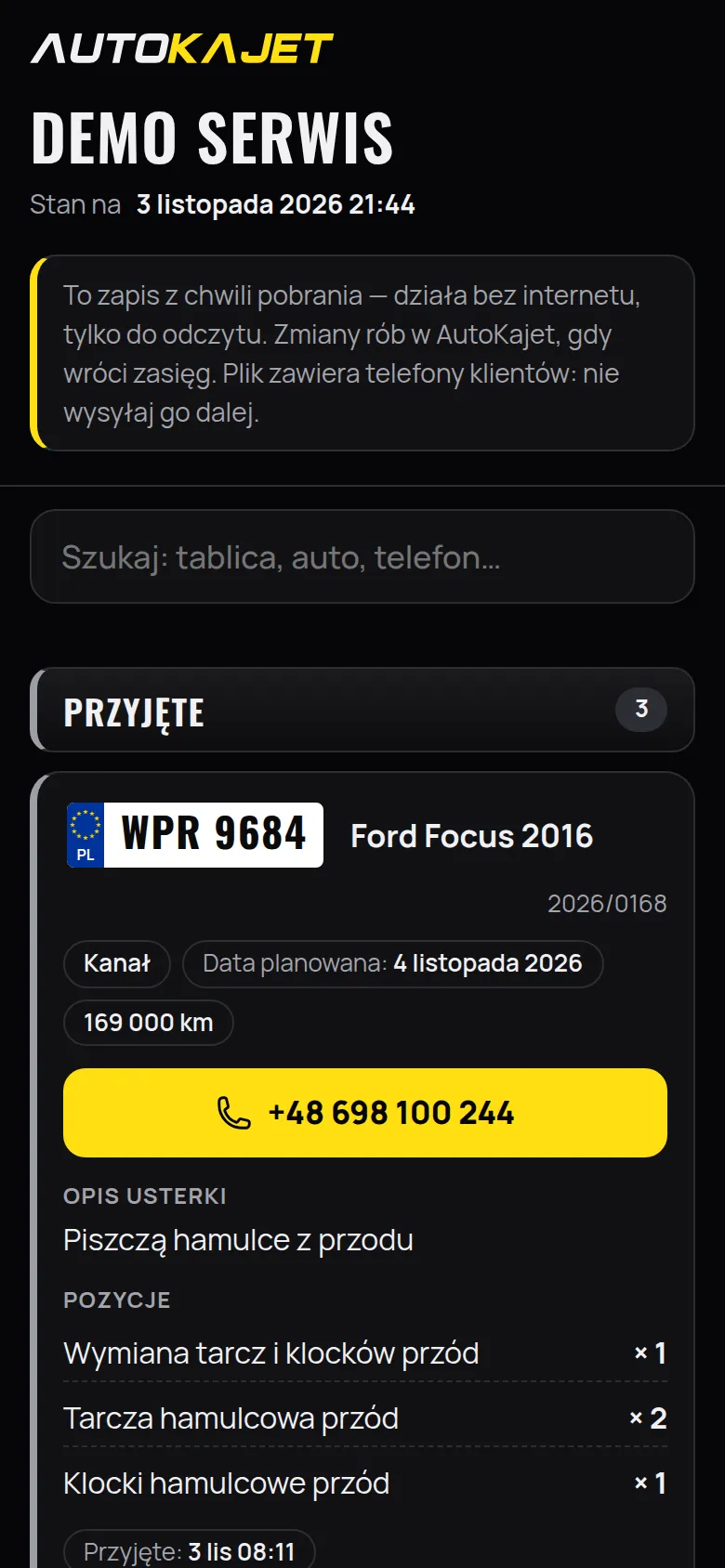
Internet down? The car list is on your phone
One button on the job board saves a file with the open jobs and the tires in storage to your phone. It opens with no signal — you know what needs doing on which car.
- One file in “Downloads”, nothing to install — it opens in the browser on a phone or a computer.
- Every car with the fault, work done, parts, notes, mileage and bay.
- The customer’s phone works as a “call” button — even without internet.
- Search by plate, car and phone; tires with their rack location. It prints, too.
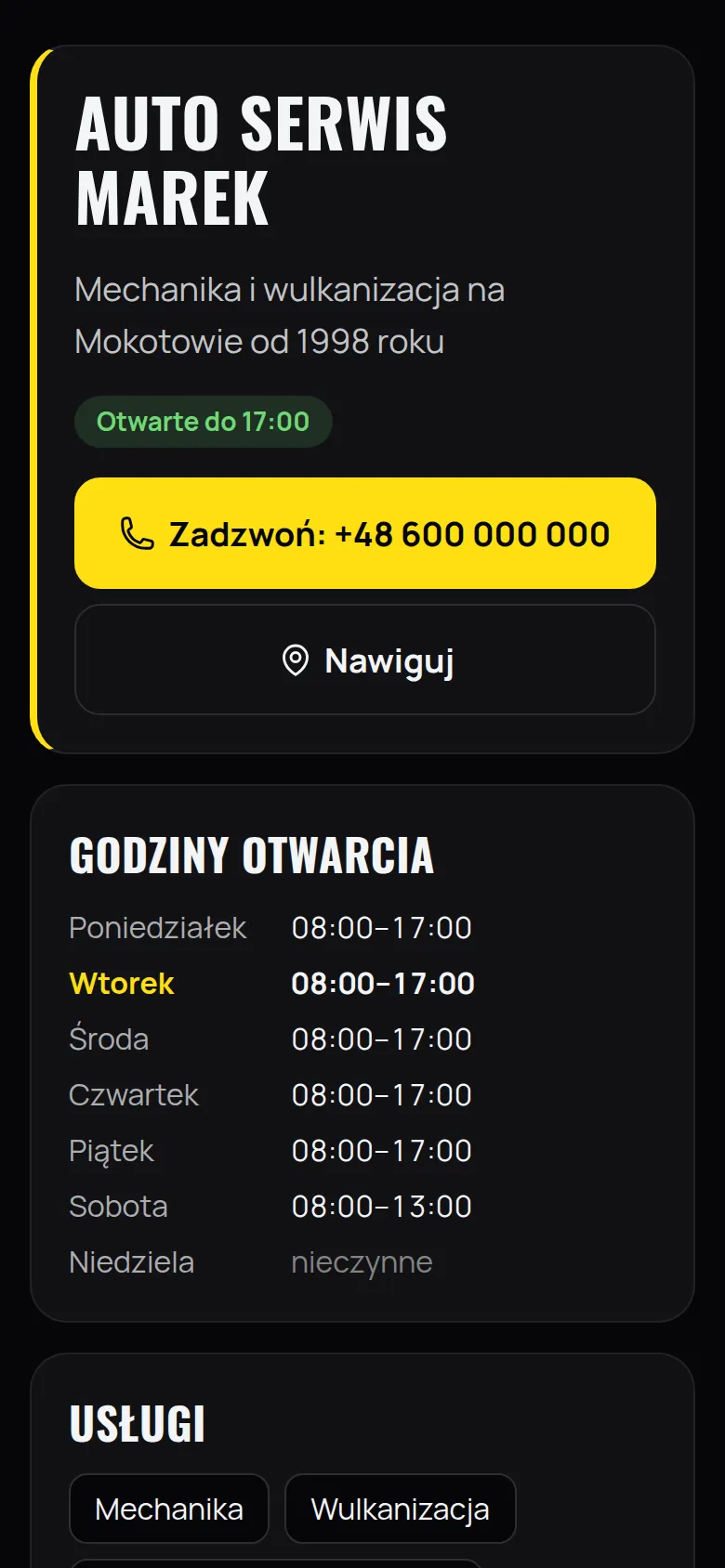
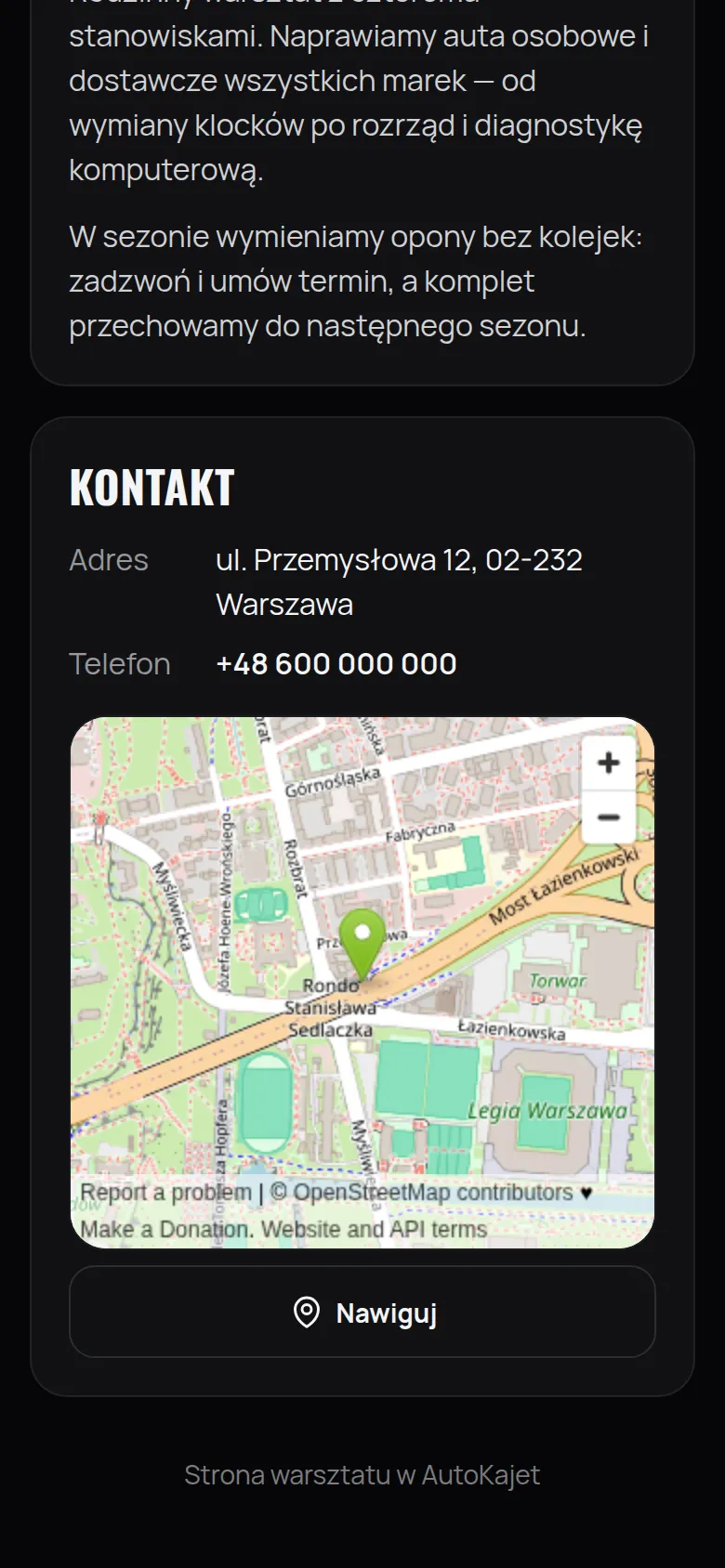
Workshop page — your workshop’s own website
Every workshop gets its own page at name.autokajet.pl. Name, address, phone and hours come from the settings; you add a tagline, services, prices and a few words about yourself — from your phone, in minutes.
yourworkshop.autokajet.pl
- Opening hours with “Open until 17:00” — customers know whether they’ll make it.
- Big “Call” and “Directions” buttons and a map with a pin.
- Services and “from” prices — what you do and what it costs, at a glance.
- Built for Google: address, hours and type of business readable for search engines.
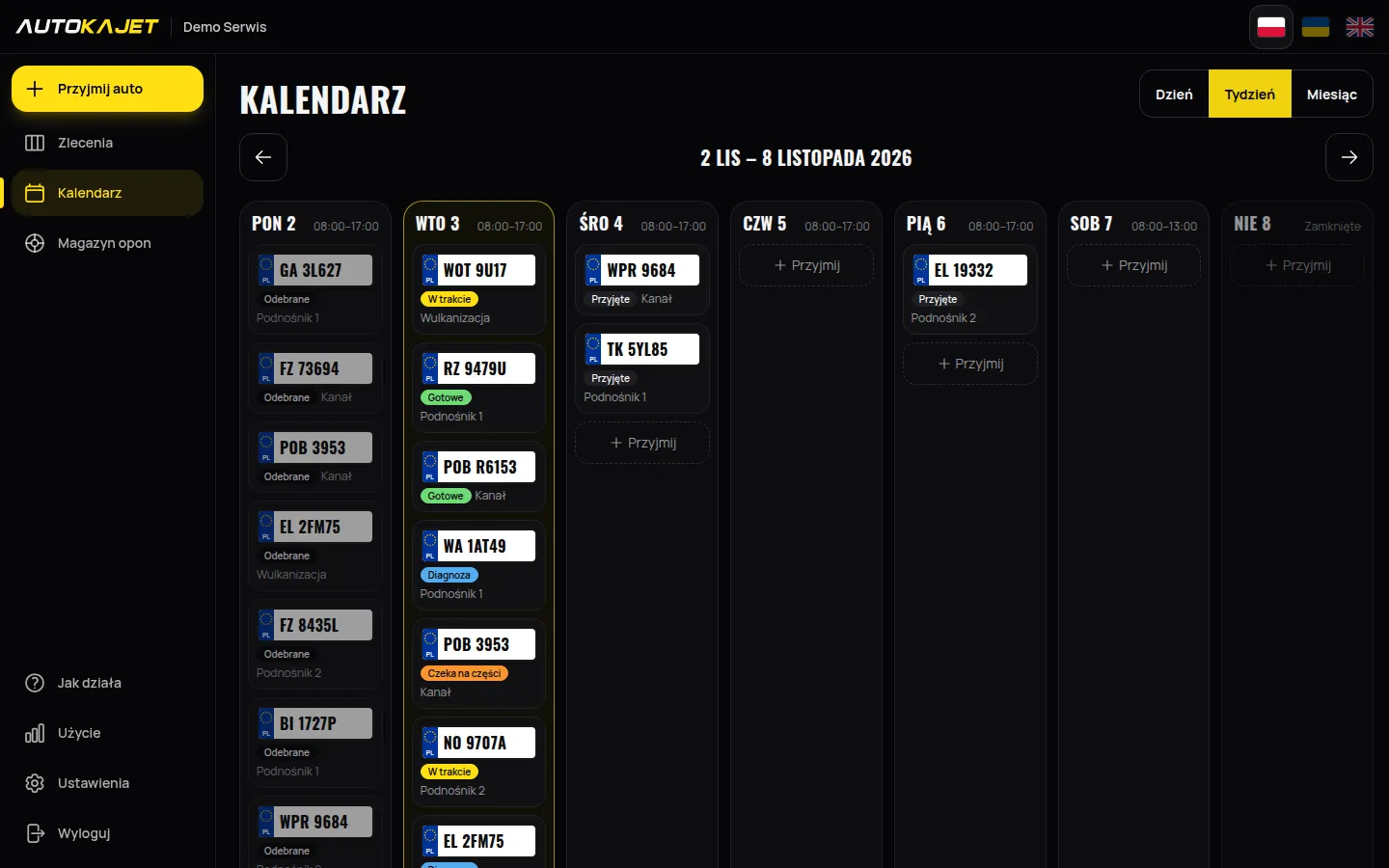
Your bays planned for the whole week
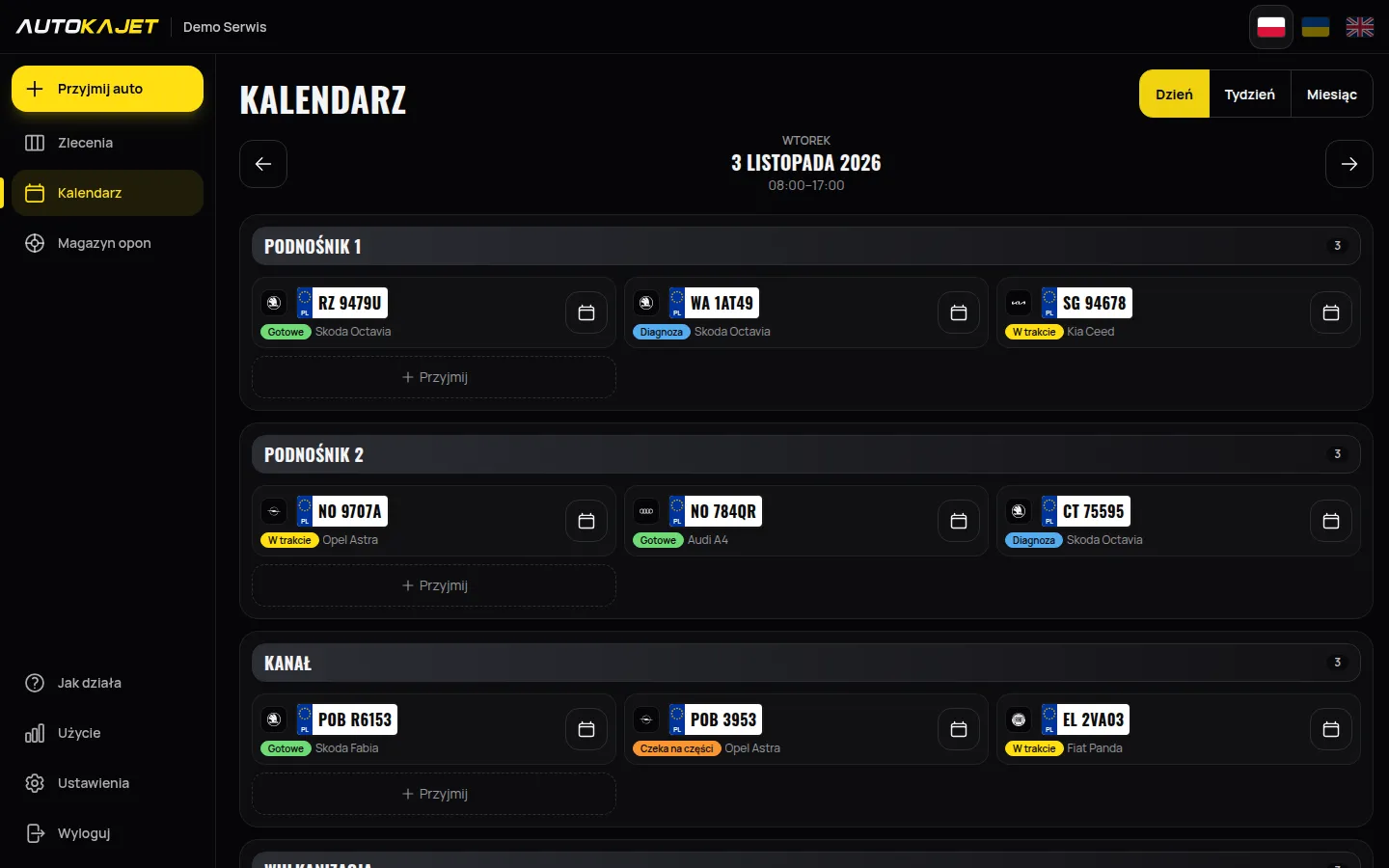
The calendar shows which car, when and at which bay. Drag a job to another day; opening hours and closed days are visible at once. A phone on the shop floor, a computer in the office — the same data, nothing to install.
Your workshop in numbers
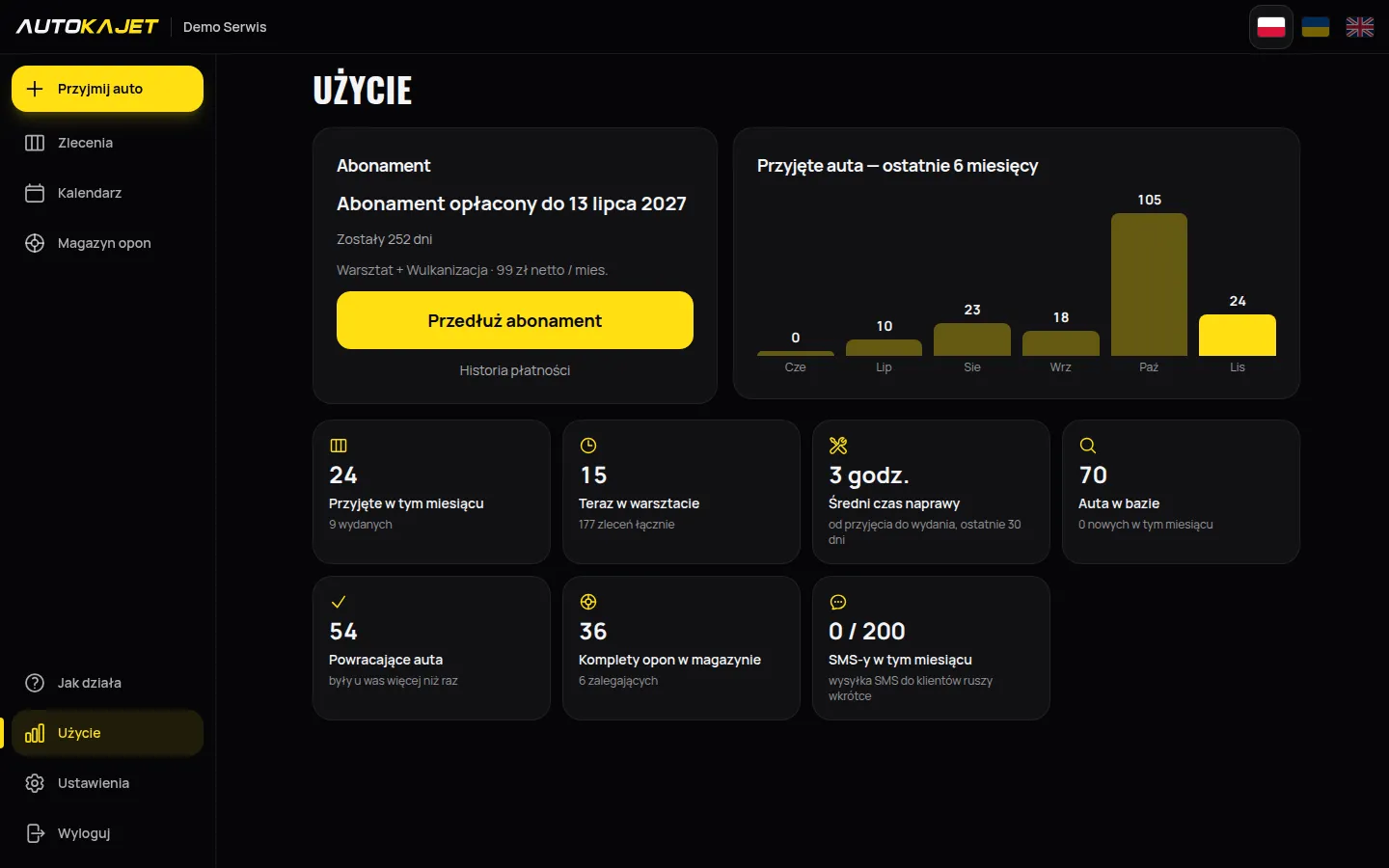
Under “Usage” you see how many cars you take in, how fast you hand them back and how long your subscription runs — no counting in a notebook.
- Cars checked in month by month — the tyre season and quieter weeks at a glance.
- Average time from check-in to hand-over and how many cars are in the workshop now.
- Cars on record, new and returning customers, tyre sets in storage and overdue.
- How long the subscription runs, extended with one button.
Tyre storage without the search
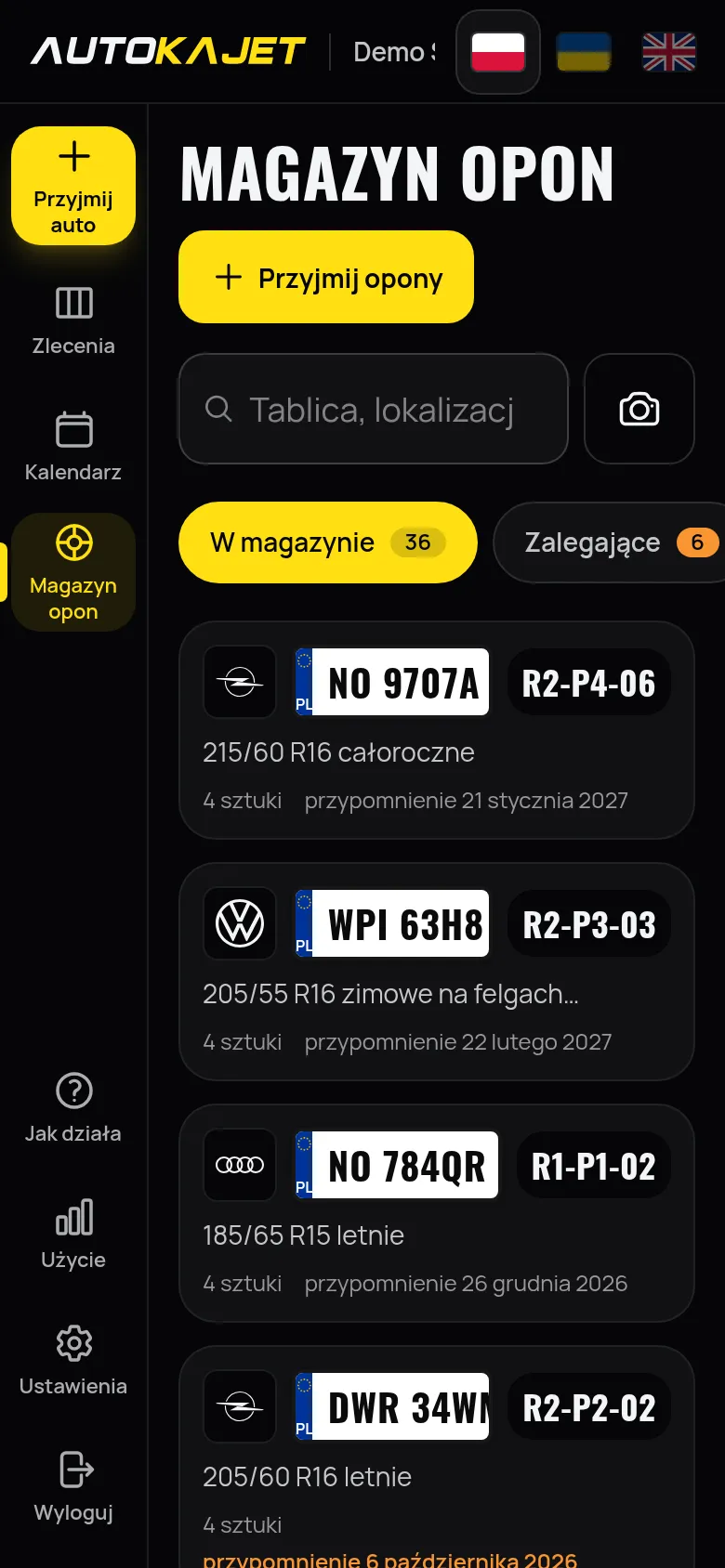
In season the customer is at the door and the queue keeps growing. Every set has its own rack spot and a QR label. Scan it with your phone and you know whose wheels they are and where they stand.
- Racks, shelves and slots — recently used locations are suggested.
- QR code labels from an ordinary printer, 8 per A4 sheet. No label printer costing hundreds of zloty.
- The phone camera reads the label code and opens the tyre set.
- Photos of the set at check-in — tread, damage, rims. No arguments at pickup.
- Seasonal swap in one go — release the stored set and take in the one coming off.
- Intake and release receipts as PDF, with a space for the customer's signature.
- The "Overdue" tab lists sets past their pick-up date. You know whom to call before you run out of rack space.
Photos in every job
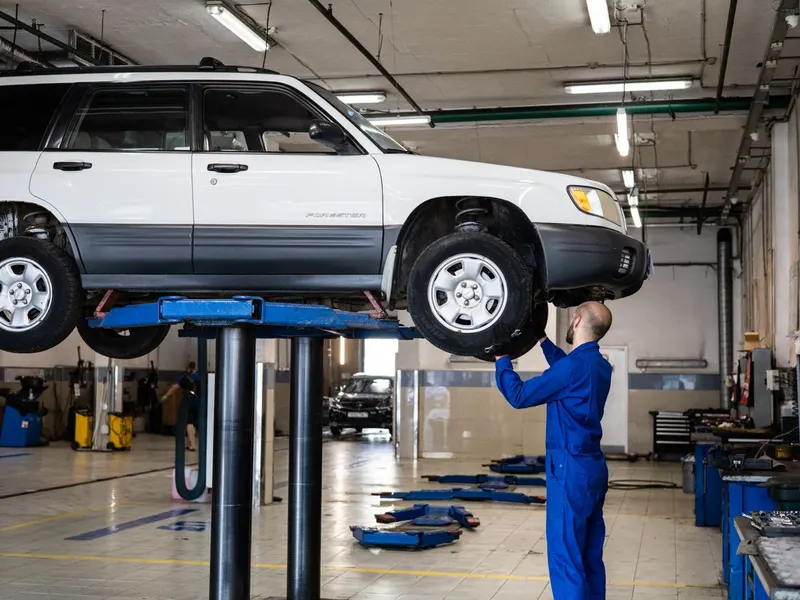
At intake you photograph the car from every side and the odometer with your phone — proof of the car's condition and mileage if questions come up. During the repair you photograph the replaced parts, and when something more turns up you send the customer a photo and a price to approve.
- Every side of the car and the odometer — straight from the camera, at intake.
- Old and new parts on photos — the customer sees what they pay for.
- An extra fault turned up? Photo, description and price — the customer accepts or declines in their link, and the decision stays with the job.
- The customer sees selected photos on the repair status page; the rest stays with the garage.
- Photos are shrunk on the phone before upload — quick even on a weak signal.
-
 Every side of the car
-
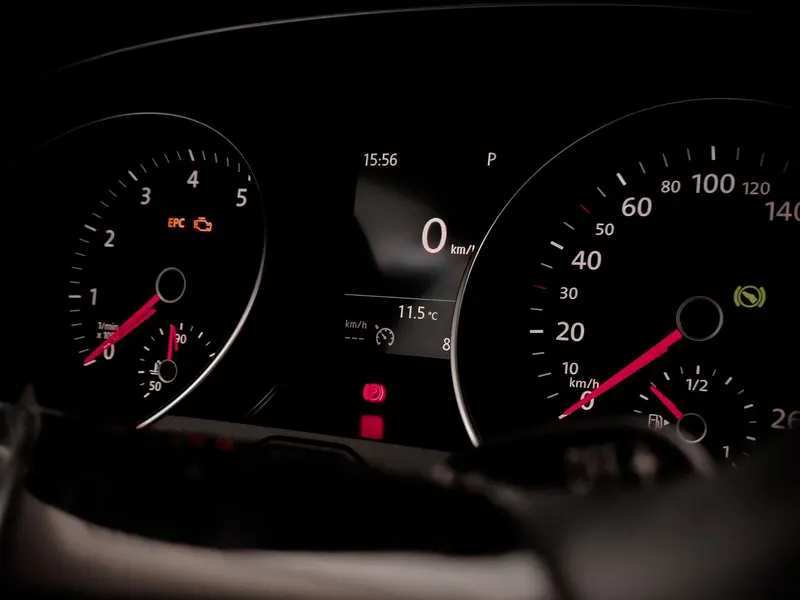 Odometer and mileage
-
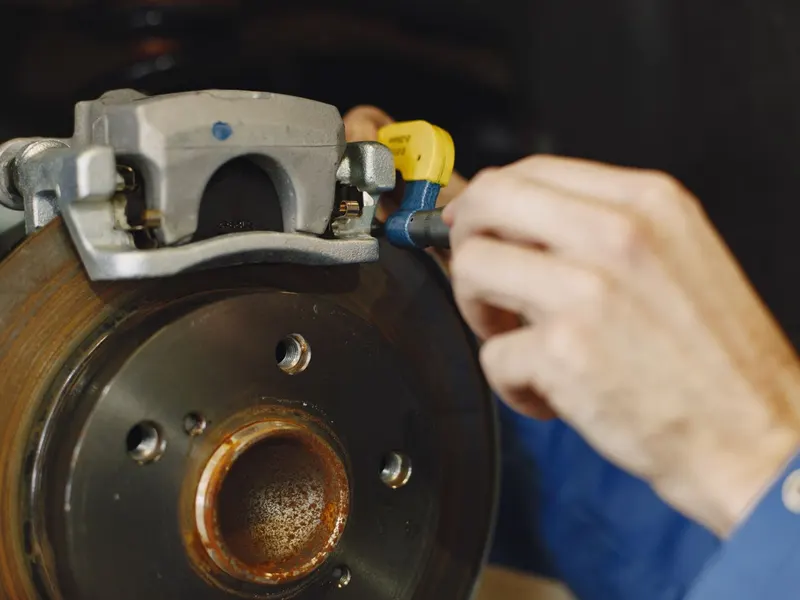 Replaced part
-
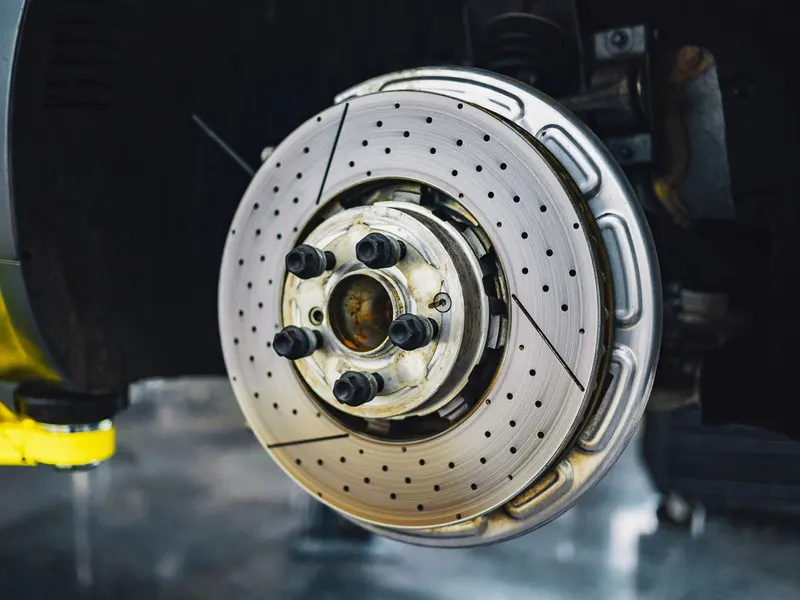 New part

How it works
-
1
Take in the car
A photo of the plate or a scan of the registration certificate, the fault, the customer's phone. The job lands on the board and in the calendar.
-
2
Repair the car
Change the stage with one tap, add work and parts, take photos. The customer approves extra work in their link before you start on it.
-
3
Hand the car back
You set "Ready", the customer sees it on their page and comes when the car is actually waiting. You release it with one tap, and the repair stays in the car's history.
Privacy and security
You don't need your customer's personal data to fix their car. So we don't collect it.
-
Minimum data
You know the car by its plate and the customer by their phone number. No names, no addresses.
-
Plate and certificate photos are not kept
A plate photo is only used to read the plate and is gone straight away. From the certificate code we take only the car's data — names and PESEL numbers are not stored.
-
Data in the EU
The app and its database run on servers in the European Union, over an encrypted connection.
-
No tracking
Only essential cookies (sign-in, language). No ads, no tracking.
One price, everything included
One "Garage + Tyre shop" package with everything included. No "Pro" tier, no surcharge for tyre storage, the calendar or texts, and no fee per extra device.
Pay upfront for 1, 6 or 12 months by BLIK, card or bank transfer. No fixed-term contract and no automatic charges. Nothing renews by itself.
Garage + Tyre shop
99 zł net / month
121.77 PLN gross (23% VAT)
- Jobs with photos, calendar, vehicle history and tyre storage
- 200 texts to customers a month (texting coming soon)
- Unlimited devices for your garage
- All new features at no extra cost
- Support in Polish
No card. After the trial you decide whether to pay, and your data stays.
Frequently asked questions
Do I need to install anything?
No. AutoKajet runs in the browser on a phone, tablet and computer. On a phone you can add it to the home screen like a regular app.
Do I need a scanner or a label printer?
No. You photograph the plate with your phone's camera, and the same camera scans the code on the registration certificate. QR labels for tyres print on an ordinary printer, 8 to an A4 sheet.
Can I check a car in by voice?
Yes. Tap “Check in by voice” and say, for example: “Golf 2015, 187 thousand km, phone 600 123 456, oil change”. Make, model, year, mileage, phone and description fill in by themselves. Description fields also have a dictation microphone. Speech recognition is provided by the phone’s browser (Google in Chrome, Apple in Safari).
Do I get a website for my workshop?
Yes, it’s included. The page lives at name.autokajet.pl (you pick the name at sign-up). Details and hours come from the settings; you add services, prices and a description. One switch publishes it.
Can I issue invoices and send them to KSeF?
Not yet. Invoices sent to KSeF are the next big module. Until then you issue them as you do today, for example in the free app from the Ministry of Finance.
What happens after the trial?
For 30 days you use everything for free, no card required. Then you choose a period (1, 6 or 12 months) and pay upfront by BLIK, card or bank transfer. Nothing renews by itself. If you don't renew, you don't pay.
What happens to my data if I stop paying?
It doesn't disappear. After the paid period the account becomes read-only: you see jobs, cars and tyre sets but can't add new ones. After 90 days without payment the account is blocked and the data keeps waiting. Pay the subscription to carry on.
Does my customer need to install anything?
No. The customer gets a link to a page with the repair status, the date, the work done and photos, and approves extra work with one tap. It opens in any browser, no sign-in.
What if the signal on the shop floor is weak?
AutoKajet needs the internet, but it is light and works on an ordinary mobile signal. The plate photo is shrunk on the phone before upload. In case the network goes down, one button saves a file with the open jobs and stored tires on your phone — it opens without internet.
I use a notebook or another program. How do I start?
You don't have to copy anything to begin. Take in your next cars in AutoKajet and the history builds itself: on the next visit the plate fills in the make, model and the customer's phone.
How many devices can I use?
As many as you like. Open one workshop account at the same time on a phone on the shop floor, a tablet and a computer in the office, at no extra cost.
Does it work in Ukrainian?
Yes. The interface is in Polish, Ukrainian and English — each person picks their language with one tap.
What data about my customers do you keep?
Only what the work needs — the number plate and the customer's phone number. We don't collect names or addresses of your customers, and number plate photos are never stored.
Put the notebook on the shelf
Sign-up for new garages opens soon. Check back in a few days.